Add a reset CLI command to your OCSDK application
- Thomas Watteyne
- Dave Bacher [analog]
 This recipe indicates what default CLI commands your On-Chip SDK application has, and how you can add a "reset" command.
As detailed in the CLI Module pages, and illustrated in the the 03-cli_module and 03-cli_accesslevel sample applications, your application can add CLI commands.
It's often useful to be able to reset a device without having to power cycle it. This can be done by adding a CLI "reset" command. The technique detailed in this recipe is similar to how the default application implements its "reset" command.
About Default CLI Commands
The CLI Device is shared between the SmartMesh IP stack and your application. This means that the stack creates a number of CLI commands, and your application can add its own. If your application doesn't create any additional CLI commands, you will have the following commands:
mtrace
mset
mget
minfo
mlog
mfs
mseti
mgeti
mshow
mxtal
mhwlog
By convention all the CLI commands created by the SmartMesh IP stack start with "m" for "mote".
As detailed in the CLI Module pages, and illustrated in the the 03-cli_module and 03-cli_accesslevel sample applications, your application can add CLI commands.
Adding a "reset" command
It's often useful to be able to reset a device without having to power cycle it. This can be done by adding a CLI "reset" command. The technique detailed below is similar to how the default application implements its "reset" command.
We start with the 03-cli_module.
First, add the prototype for the function handling the reset command:
//===== CLI handlers
dn_error_t cli_resetCmdHandler(INT8U* arg, INT32U len);
Then, declare an additional command in the CLI command definition array:
const dnm_ucli_cmdDef_t cliCmdDefs[] = {
   {&cli_resetCmdHandler,    "reset",       "",            DN_CLI_ACCESS_LOGIN},
   {NULL,                    NULL,          NULL,          0},
};
Finally, define the body of the cli_resetCmdHandler() function:
dn_error_t cli_resetCmdHandler(INT8U* buf, INT32U len) {
   INT8U      rc;

   dnm_ucli_printf("Resetting...\r\n\n");
   OSTimeDly(500);

   // send reset to stack
   dnm_loc_resetCmd(&rc);

   return(rc);
}
The implementation of the cli_resetCmdHandler() uses the SmartMesh Library to reset the device by issuing the "reset" command over the local interface.
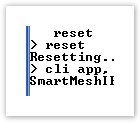
When running the application, you can see that the "reset" command now appears in the help menu. When entering it, the device resets as expected:
cli app, ver 1.1.0.7
SmartMeshIP stack, ver 1.3.0.28

> help
help <command>
Commands:
   mset
   mget
   mseti
   mgeti
   mxtal
   mfs
   mlog
   mtrace
   minfo
   mshow
   reset
> reset
Resetting...
> cli app, ver 1.1.0.7
SmartMeshIP stack, ver 1.3.0.28
The SmartMesh IP stack delays every reset by 5 seconds to allow printing of the CLI message before the part resets.